


1-Click AI In-Browser Assistant: Your locally hosted “Privacy-First” AI companion!
A powerful private, on-device AI assistant in your Chrome Side Panel powered by Gemini Nano and native Web Speech.
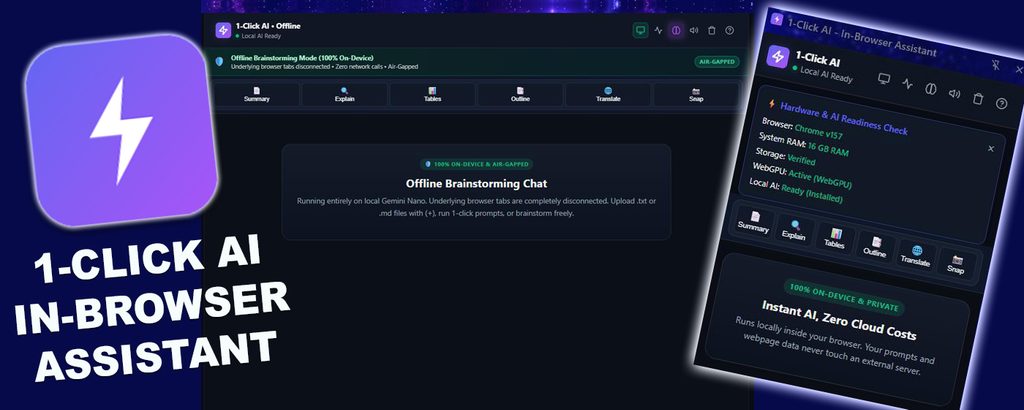
Google Chrome users who install our extension get contextual AI assistance, summaries, insightful takeaways, snapshots, and rewrite suggestions, all without compromising your privacy.
You can use 1-Click AI’s pre-configured action buttons and customizable prompts to quickly request reviews and summaries to avoid “Prompt Fatigue”.
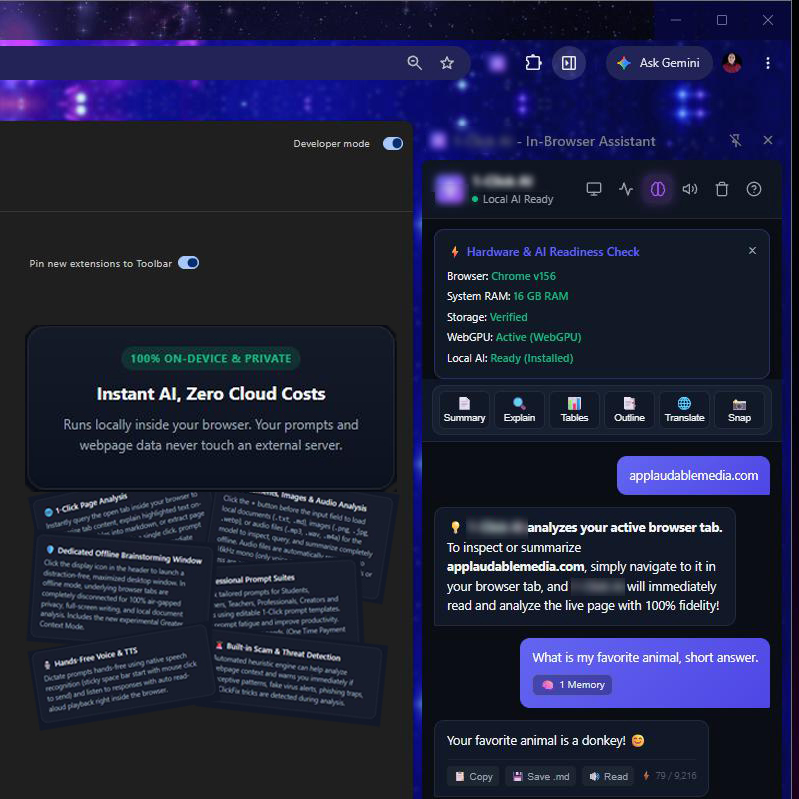
This extension uses a local AI model, that keeps your data securely on your device with no ongoing subscription fees.
The multi-modal AI accepts voice prompts, uploaded images/audio/pdf and can even read AI results aloud.
It’s ideal for budget-conscious users seeking a privacy-respecting AI solution while improving productivity.
Access the assistant directly in a clean side panel, ready to summarize articles, analyze content (e.g. YouTube), or answer questions based on the webpage you’re viewing.
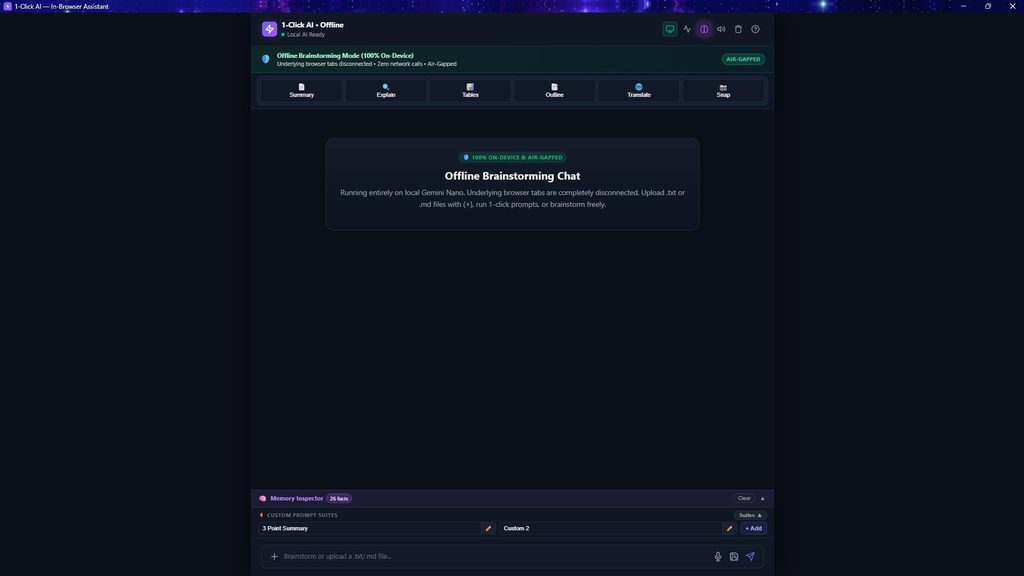
Or, enable “Full Screen” mode for private, local-first ideation/conversation, and switch on a local vector database [experimental] for longer term contextual recall.
What 1-Click AI – In-Browser Assistant Offers You?
Core Features:
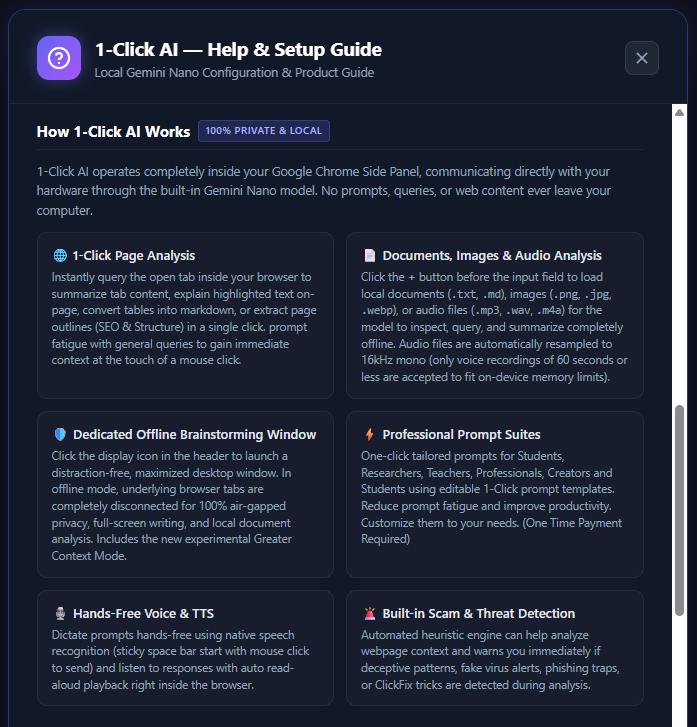
★ 6 x pre-programmed AI prompts and 2 x customizable prompts.
★ A website heuristics engine that can check for deceptive web page patterns.
★ Text to speech engine for reading AI output.
★ Prompt AI using your microphone (i.e. speech to text).
★ Save chat snippets, or entire chat session as a markdown file for future reference.
★ Summarize voice recordings (<60s) – m4a, mp3, ogg supported.
★ Full-screen mode for offline text based conversations/ideation.
★ Basic translation with configurable target output language.
★ Greater context (rolling short term) memory management [Experimental]
★ Cached vector database for longer term context retrieval [Experimental]
Pre-programmed prompts to reduce prompt fatigue include:
★ [SUMMARY]: Provides a summary of a selected tab’s content (including YouTube).
★ [EXPLAIN]: Helps break down text you select/highlight into simple terms.
★ [TABLES]: Extracts information from HTML tables.
★ [OUTLINE]: Provides webpage content structural overviews. (e.g. H1, H2 etc).
★ [TRANSLATE]: Provides translated summary in your preferred language.
★ [SNAP]: Analyze screenshots
Right-Click context menu items
★ Polish Rewrite feature (used for quick rewrites inside text fields).
★ Explain selected text feature (for text you highlight on a web page).
★ Summarize page feature (for quick wepage summary requests).
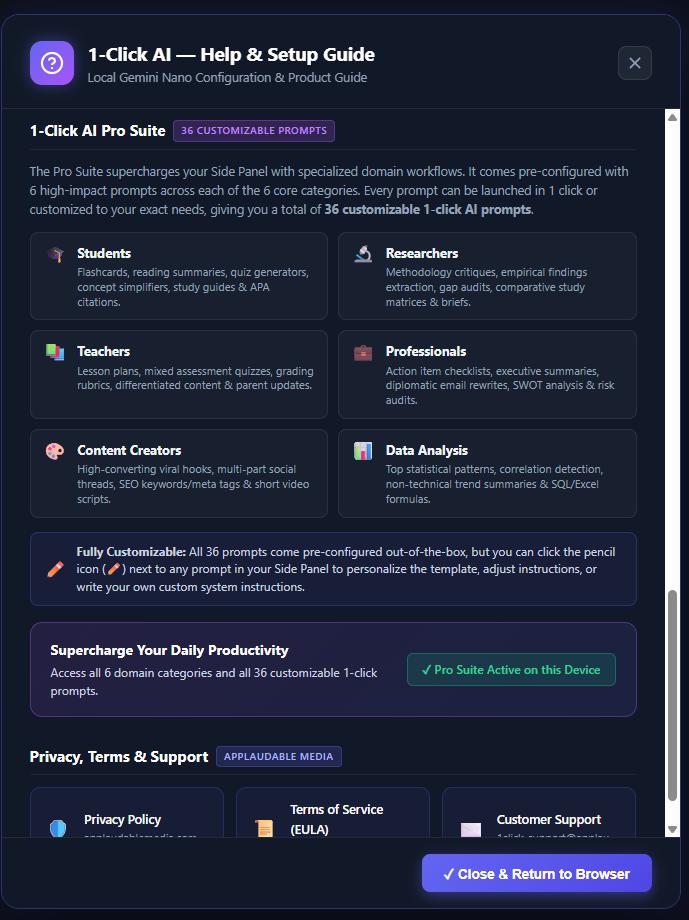
Additionally, for a one-time payment, you may choose to unlock a Professional suite of customizable 1-click prompts, to help reduce “prompt fatigue”, saving you time and increasing your productivity.
What Makes 1-Click AI In-Browser Assistant a ‘Must Have’ Tool?
✅ It uses on-device AI integration (no paid AI subscription needed).
✅ Allows for save or copy injection for use in your own documents.
✅ Rolling context (4096k – 9216k system dependent window).
✅ Keeps everything in local storage/cache on your PC.
✅ Zero AI cloud costs with no telemtry or external API calls.
✅ Full Screen Chat Mode for offline analysis of text, image or audio.
✅ Upload JPG/PNG/webp images optimized on-device for context.
✅ Upload 16kHz voice audio <60s – wav, m4a, mp3 for context.
✅ Load or upload text based PDFs to request summaries or analysis.
✅ Utilizes native Web Speech to read AI output aloud if you prefer.
✅ Microphone integration for speech-to-text prompting.
✅ Highly responsive on recommended system specifications.
✅ Individual query token usage is displayed on each turn.
✅ New ‘Greater Context’ mode (experimental), for text based chat.
✅ Accumlative context token count displayed per session.
✅ Context menu enabled for right click summaries or text field rewrite feature.
Additionally we have added 2 memory features:
✅ A “Text Only >Context Mode” for chained conversations.
✅ Lightweight vector database for longer term memories.
Note: Lightweight local AI models may hallucinate or lose context if token window is exceeded, or if mode is changed (e.g Image to Audio, Audio to Image etc). We have engineered the plugin with rolling context, but cannot guarantee stability or recollection over extremely long conversations.
What is 1-Click AI – In-Browser Assistant’s 🌐 Website Heuristics Engine?
One of the superpowers of the extension’s local model is it’s pattern recognition, it can help identify social engineering behaviors within websites you query. It highlights high-scrutiny copywriting patterns in red, or consumer advisory cautions in orange if it identifies such risks during your queries. Making this AI assistant great for recognizing deceptive patterns, analyzing highlighted text for urgent or suspicious language structures.
💻 SYSTEM REQUIREMENTS & SETUP
Required hardware needed to run this extension:
🔹 Browser: Latest version of Google Chrome
🔹 System RAM: 16 GB+ RAM
🔹 Storage: 22+ GB for installation (4 GB used after install)
🔹 WebGPU: Active (WebGPU)
🔹 Graphics: 4GB+ vRAM or unified memory
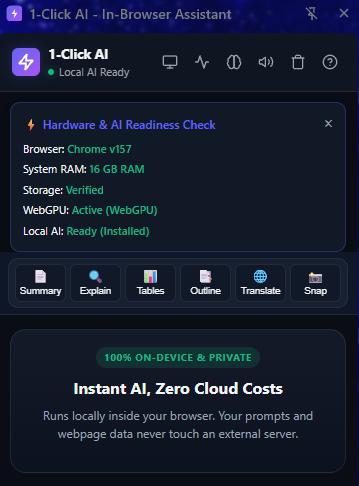
The extension offers a “Hardware Readiness Check” for compatibility, but is not recommended for systems with less than 4GB vRAM. Installation on RAM only systems will result in slow load/response times and possible extension failure.
You will need to ‘enable’ these flags to activate Chrome’s on-device AI model:
- Copy and paste chrome://flags/#prompt-api-for-gemini-nano (or #prompt-api in newer versions) into your URL bar and set it to Enabled.
- Copy and paste chrome://flags/#optimization-guide-on-device-model and set it to Enabled (this triggers the model download).
- Copy and paste chrome://flags/#prompt-api-multimodal-input and set it to Enabled (required for visual and audio inputs).
Relaunch Chrome, and then:
Go to chrome://components. Find “Optimization Guide On Device Model” and click Check for update / Download.
Google Chrome will download/update to the latest local Gemini Nano model. Once complete, the extension will display “Local AI Ready”.
Disclaimers
ⓘ This extension is dependent upon the availability of on-device AI models managed by the browser. Because these browser-level APIs are actively evolving, future browser updates may introduce breaking changes outside our direct control. We actively monitor these implementations and will work to deploy extension patches to resolve any platform compatibility issues, but cannot guarantee a fix will always be available if a browser feature is deprecated.
ⓘ The extension uses a 3.25 Billion parameter multi-modal on-device model. It is a lightweight highly compressed (4-bit quantisation), low-latency version of a foundational AI gemini model.
ⓘ Artificial Intelligence can hallucinate and give incorrect answers. Be aware this risk increases with lower weight models and when context windows are exceeded or truncated.
ⓘ This extension executes all inference tasks locally on your device’s GPU/CPU, you may notice temporary increases in system resource usage (RAM/VRAM) or cooling fan activity during intensive tasks, such as processing images or rendering long document context blocks. Performance scales directly with your system hardware.
ⓘ Local AI context windows are finite (typically ranging from 4,000 to 9,000+ tokens depending on your active system configuration). Uploading exceptionally long text documents, large text-based PDFs, or audio files exceeding 60 seconds will result in context rolling or automated truncation to keep the model within stable operational memory limits. Uploading a large volume of text, increases risks of hallucinations and poorer results.
ⓘ The built-in Website Heuristics Engine utilizes local pattern recognition to flag potentially deceptive layouts or social engineering behaviors. This feature is intended strictly as a complementary consumer advisory tool. It does not replace a dedicated anti-virus or firewall suite, cannot guarantee 100% accuracy, and may occasionally surface false positives on standard marketing sites. Always exercise personal caution before sharing credentials online.
ⓘ This extension has no direct affiliation with the Google or Gemini. All trademarks belong to their respective owners. 1-Click AI – In-Browser Assistant is the product of Applaudable Media.